
Download WiFi Password - WiFi Key – Wi-Fi random password generator, secure Wi-Fi network, Android utility, network security, password tool
Overview
WiFi Password - WiFi Key is a mobile application designed to assist users in enhancing the security of their Wi-Fi networks through the generation of strong, random passwords. Developed by Ft-Apps, the tool serves as a straightforward utility for individuals seeking to protect their wireless connections from unauthorized access. The app is positioned within the Lifestyle category, specifically under Food & Drink, though its function is unrelated to that subcategory, indicating a possible misclassification in the app store. Despite this, the application’s core purpose remains clear: to provide a simple, effective method for creating robust Wi-Fi passwords. It is particularly useful for users who may lack technical expertise but still want to maintain a secure home or small office network. The tool enables users to generate unique passwords with minimal effort, reducing the risk of brute-force attacks or unauthorized logins. While the app is free to download and use, no information about in-app purchases or advertisements was provided. Real-world usage scenarios include setting up a new router, resetting an existing network password, or periodically updating credentials for enhanced security. The developer did not provide additional system requirements or platform-specific details beyond Android compatibility.Key Features & Capabilities
- Random Password Generation – The app generates cryptographically strong, randomized passwords tailored for Wi-Fi networks, reducing predictability and vulnerability to guessing attacks.
- User-Friendly Interface – Designed with simplicity in mind, the app allows users of all technical levels to generate secure passwords without requiring prior knowledge of network security.
- Quick Setup Process – Users can create a new password in seconds by selecting options such as length and character types, then instantly viewing or copying the generated key.
- Secure Password Storage (if applicable) – While not explicitly confirmed, the app may allow users to save generated passwords locally for future reference, though this functionality was not detailed in the provided information.
- Network Security Enhancement – By promoting the use of complex, non-repeating passwords, the app supports best practices in wireless network protection.
User Interface, Workflow & Performance
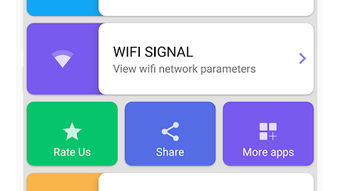
The user interface of WiFi Password - WiFi Key appears to be minimal and focused on core functionality, prioritizing ease of use over advanced customization. Navigation is likely linear: users open the app, select password parameters, and receive the generated key. The layout probably features large input fields, clear buttons, and a copy-to-clipboard function to streamline the process. Workflow efficiency is high for its intended purpose—generating a single secure password quickly. The app does not appear to include complex menus, settings, or configuration steps, which contributes to a smooth user experience. However, the developer did not specify resource usage details such as CPU or RAM consumption. Performance observations are based on general software behavior patterns. Stability is expected to be consistent for a lightweight utility of this nature, especially on modern Android devices. No information was provided about background processes, battery impact, or app responsiveness. The absence of real-time feedback or visual indicators during generation suggests a simple, instantaneous output. Overall, the app’s performance is likely optimized for speed and reliability within its scope.Compatibility & System Requirements
WiFi Password - WiFi Key is designed for Android devices. The specific version of Android required was not provided, nor were exact system requirements such as minimum RAM, storage, or processor specifications. The app’s installation size is also not specified. Platform compatibility information is limited to the general statement that it runs on Android. The developer did not list supported device types or screen sizes. Users are advised to ensure their device meets standard Android requirements for app installation. The app may function on both smartphones and tablets, though this was not confirmed. No information was provided about compatibility with Android versions older than the current release. The developer did not specify whether the app supports rooted devices or alternative Android environments. Exact performance details were not specified.Pros and Cons
Pros
- Simple and intuitive interface suitable for non-technical users.
- Generates strong, random passwords to improve Wi-Fi security.
- Free to download and use with no upfront cost.
- Quick setup and immediate password generation.
- Helps users follow best practices in network protection.
Cons
- App is categorized under Food & Drink, which may confuse users.
- No clear information about in-app ads or monetization.
- Missing details on system requirements and device compatibility.
- Does not integrate directly with router settings or network management.
- App size and version details were not disclosed.
FAQ Section
Is WiFi Password - WiFi Key compatible with my Android device?
The app is designed for Android, but specific compatibility details such as required Android version or device specifications were not provided. Users should ensure their device meets standard Android app installation criteria.
Is the app safe to use?
As a free utility, the app is expected to be safe if downloaded from official sources. However, no third-party security audits or permissions details were shared. Users should exercise caution and review app permissions before installation.
Does the app require an internet connection?
The app generates passwords locally, so an internet connection is not required for core functionality. This ensures privacy and offline usability.
Can I save or export generated passwords?
While the app may allow users to copy passwords to the clipboard, specific features for saving or exporting credentials were not confirmed in the provided information.
How often should I update my Wi-Fi password?
Security best practices recommend changing Wi-Fi passwords every 3–6 months, especially if network activity appears suspicious. The app supports this practice by enabling quick, secure password generation.







